



A customer enjoying their OakStar Bank business checking account.

Business Checking

Business checking that works for you.

Keep your business moving forward with checking account options tailored to support organizations of different sizes, transaction volumes, and balance needs. Open an account online or visit a branch to get started.


Open an account

Manage cash flow and simplify everyday banking.

OakStar business checking accounts are built with you in mind. Whichever account you choose, you'll have support and local expertise from bankers who understand your business. 


Business Checking Account Options

From non-profit flexibility to higher-volume transaction and balance needs, choose from account options designed to fit your business and help you meet your goals. Click on any account link below for more details.

Simplify
 

Small Business Checking

A streamlined business checking account that includes 200 items per statement cycle, $0.25 per item above 200, and a $100 minimum to open.
Grow
 

Star Business Checking

This account includes 400 items per statement cycle, $0.25 per item above 400, a $25,000 minimum to open, and a $25,000 average collected balance requirement.
Earn
 

Business Analysis Checking

Earn credits based on your average collected balance to offset all or part of the fees associated with your account per statement cycle. Ideal for businesses with over 400 items per statement cycle.
Adapt
 

Non-Profit Checking

A flexible checking account for non-profit businesses with unlimited check writing, a $100 minimum to open, and no minimum balance requirement.


bg-platinum
Access surcharge-free ATMs nationwide with OakStar Visa Debit Card and MoneyPass® Network.
 

More flexibility, support, and clarity.

From online and mobile banking to corporate and merchant services, you’ll have access to tools and expertise that help you simplify operations and gain greater visibility into your finances. Fees may apply.

Online and Mobile Banking

Manage your business from anywhere.

Stay connected to your accounts with OakStar online and mobile banking. Manage cash flow, approve payments, and keep your business moving with secure, easy-to-use digital tools from your desktop or mobile device.

Bank Online

Corporate Services

Do more with essential services and personalized support.

OakStar Corporate Services provides solutions for payroll, HR, fraud protection, and extended FDIC coverage—all backed by responsive support, local expertise, and long-term partnership from our team. Fees may apply.

Corporate Services
Merchant Services

Access payment solutions built for the way you do business. 

OakStar Merchant Services delivers seamless payment solutions for in-store, online, and mobile transactions—with competitive pricing, better tools, and trusted guidance from local specialists who know your business. Fees may apply.

Merchant Services


Ready to move your business forward with OakStar?

Open an account online, visit a branch, or connect with an OakStar team member to discuss your goals. We’ll help you find the best combination of products and services that fit your business today and as it grows.

Get Started


eStatements

Less paper, more efficiency.

eStatements provide faster, more secure access to your account information, helping you streamline recordkeeping and reduce the risks associated with paper mail.

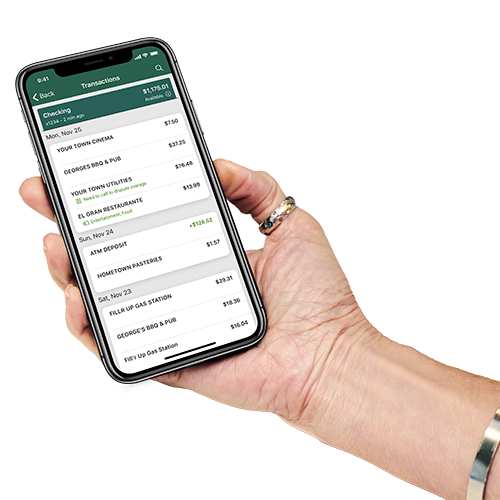
A customer viewing OakStar Bank eStatements in the mobile banking app.


quick answers

FAQs


Call 417.447.0535 or message us through your digital banking dashboard for 24/7 support* from an OakStar team member.

*Closed according to holiday closures.

Digital banking brings many of the services of your local branch into one convenient experience you can access from your desktop, phone, or tablet.

You can manage accounts, move money, deposit checks, pay bills, and take care of everyday tasks—on your schedule, from wherever you are.

Most login or access issues can be resolved quickly with a few simple steps.

Try these first:

  • Make sure your OakStar app is up to date. Only the most recent versions are supported.
  • Remove your profile and log in again. This clears stored login data on your device and resolves the majority of access issues. To remove your profile:
    • Press and hold the user profile icon in the top-right corner of the app.
    • When the Select profile window appears, choose the profile you want to remove.
    • Select Remove. 
    • When you log back in, you'll need your username, password, and 2FA code.
  • If you're locked out: Update your app first, then remove your profile before resetting your password.

In digital banking, select the account you’re looking for and scroll to the Details section to view your routing and account numbers.

OakStar Bank’s routing number is 086519159. You can also find it at the bottom of any page on our website.

Call us immediately at 417.447.0535 to report the lost or stolen debit card and request a replacement.

Our Experience Center is here to help. Contact us by:

  1. Log into online banking (desktop or mobile).
  2. Select an account and choose Settings.
  3. Choose Statements.
  4. Choose Sign Up/Changes.
  5. Select the accounts you want to enroll or Enroll All Available Accounts.
  6. Click Save Settings.